
SET IPTV
SET IPTV is a newly developed and powerful IPTV application available for: Samsung Smart TVs (Tizen OS) Android devices (via direct download link) The developer has also announced an upcoming WebOS version for LG Smart TVs, making it even more accessible across major Smart TV platforms.
Download SET IPTV
To download SET IPTV on SAMSUNG smart TV (Tizen) , Search for SET IPTV in TV app store .
To download on Android devices , you need download direct from this link :
https://install-iptv.com/setiptv
Install IPTV subscription on SET IPTV
Method 1 : Based on M3u link
Time needed: 7-8 minutes.
SET IPTV installations based on M3u link
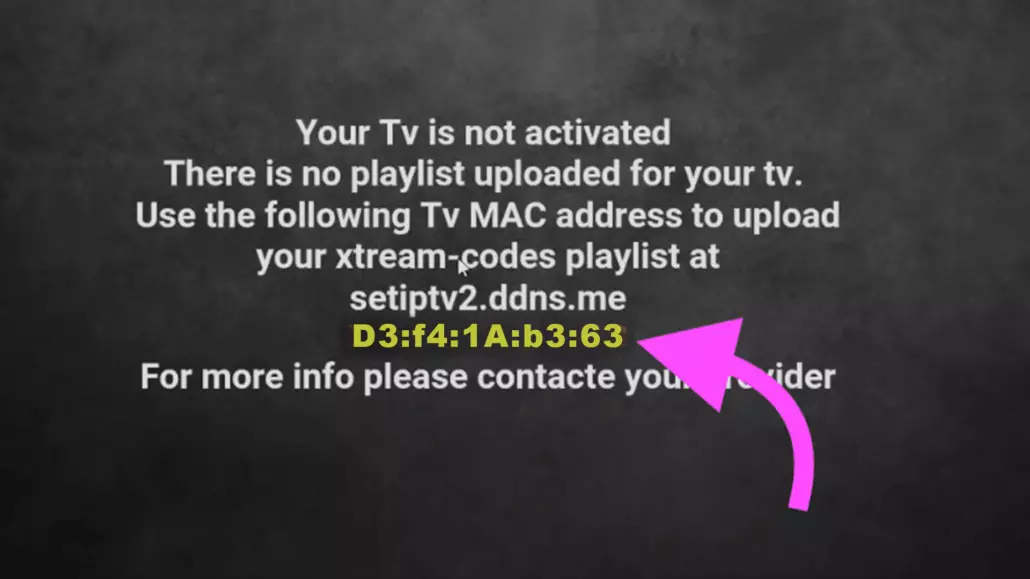
- Find Mac address
After installation, open Set IPTV and you can find MAC address on screen

- Navigate to SET IPTV web portal
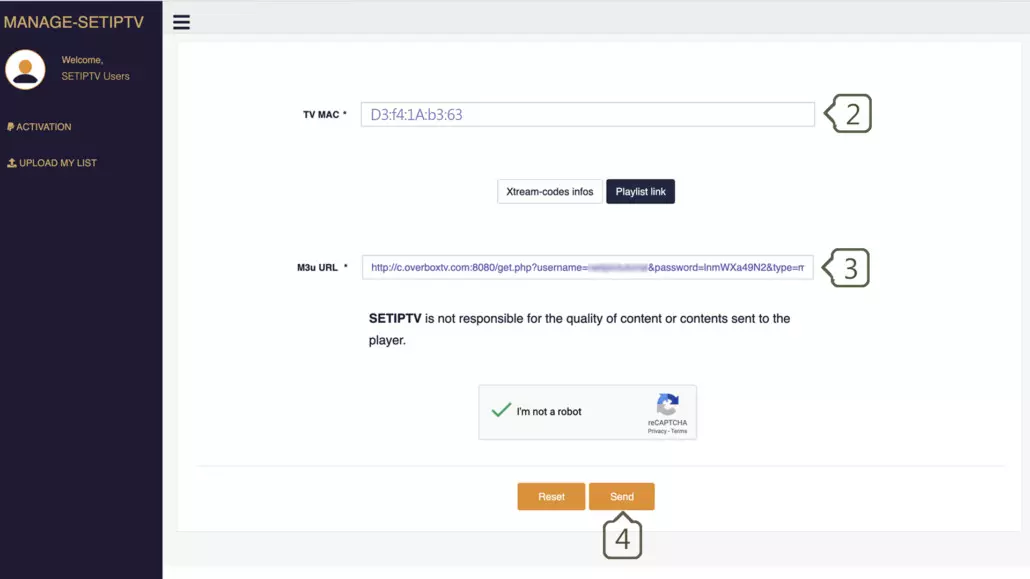
Open the set IPTV upload page via browser : https://cms.manage-setiptv.com/set.app and Choose Playlist link method :
- Enter Mac address
Enter your Set IPTV mac address in TV MAC field
- Enter M3u Link
Enter The m3u link you received from your IPTV provider in m3u URL field
- Click Send
You must active captcha (I’m not robot) and click send. Restart your TV and open SET IPTV again , Enjoy thousands TV channels, movies and series .
Method 2 : Based on XTREAM-Codes (recommended)
To connect via Xtream-codes connection , clients need 3 main items :
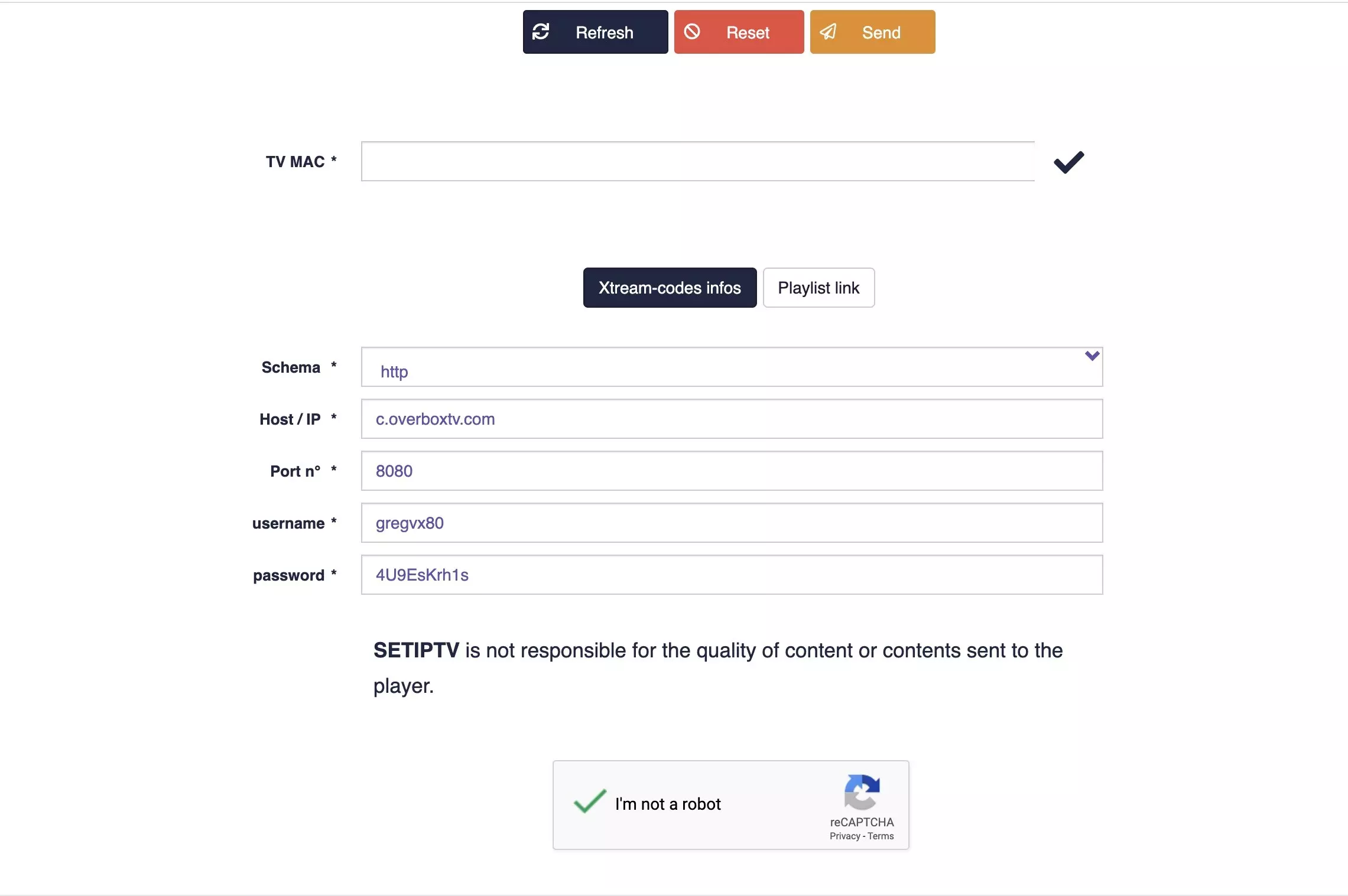
- Server URL (Its included 3 sections: Schema, Host and port )
- Username
- Password
This details must provide by IPTV provider to client , but you can extract this details from M3u Link too . (see the example from overbox IPTV provider)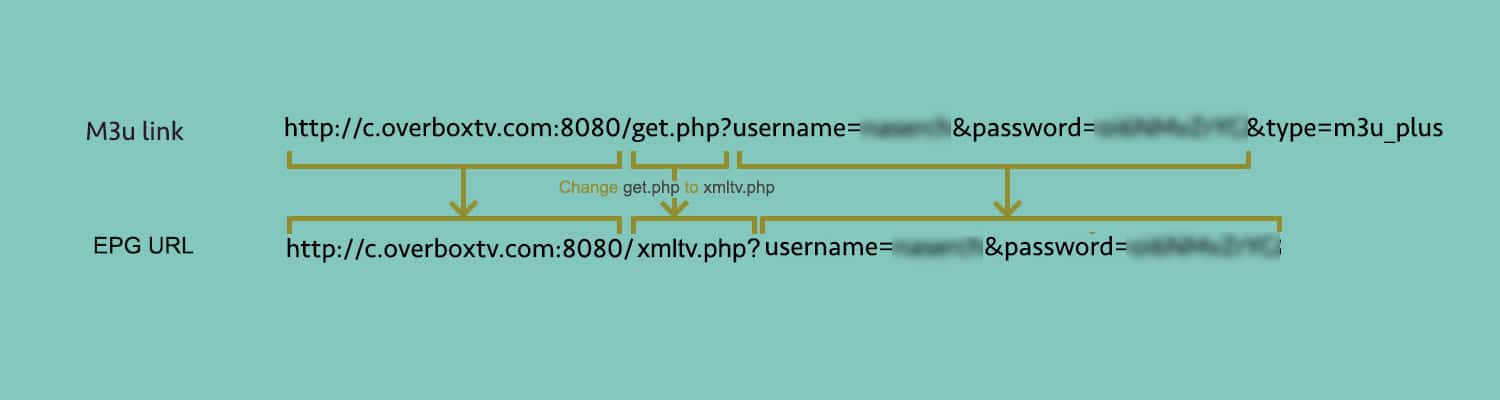
If you have your Xtream-codes information of your subscription , then follow this steps:
Time needed: 7 minutes.
SET IPTV installations based on Xtream-Code
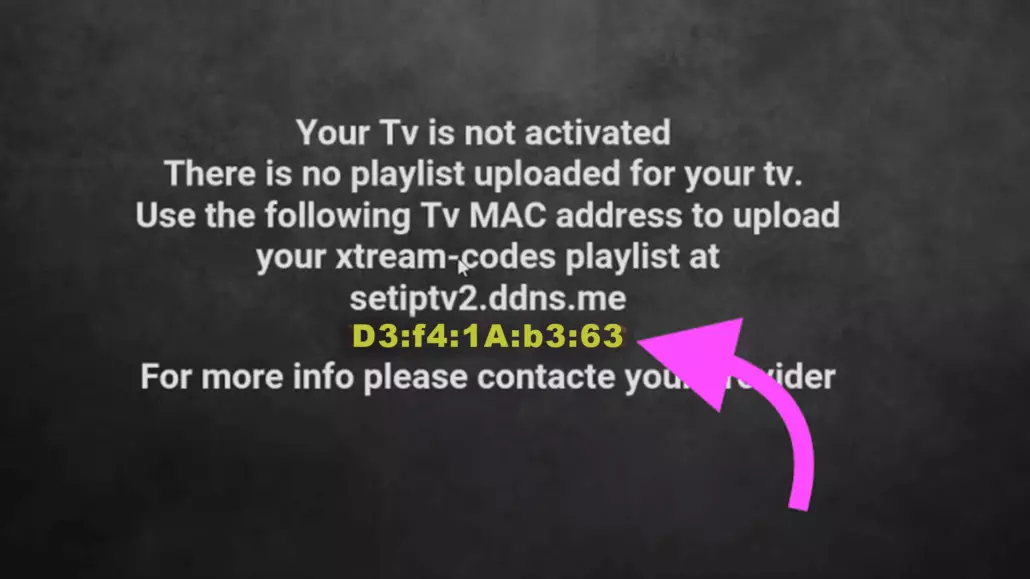
- Find Mac address
After installation, open Set IPTV and you can find MAC address on screen
- Navigate to app portal
Open the set IPTV upload page via browser : https://cms.manage-setiptv.com/paneliptv/set.app and Choose Xtream-ocdes info method
- Enter Mac address
Enter your Set IPTV mac address in TV MAC field
- Enter Extream-codes info
You need Enter the Xtream-codes info which you gave from your IPTV provider or extracted from m3u link
Note: The details in screenshot are example , and you can not use them . - Click Send
You must active captcha (I’m not robot) and click send. Restart your TV and open SET IPTV again , Enjoy thousands TV channels, movies and series .