
iPlayTV (Apple TV)
This app is exclusively available for Apple TV and allows you to stream your favorite IPTV playlists directly on Apple TV (3rd Generation) with ease. It is one of the most popular IPTV applications, known for its smooth interface, fast performance, and user-friendly design. If you're looking for a reliable IPTV player for Apple TV, we highly recommend this app over other available options. Enjoy seamless live TV streaming, M3U playlist support, and high-quality IPTV playback on your Apple TV device.
- Select ADD Playlis
open iPlayTV and select Add Playlist
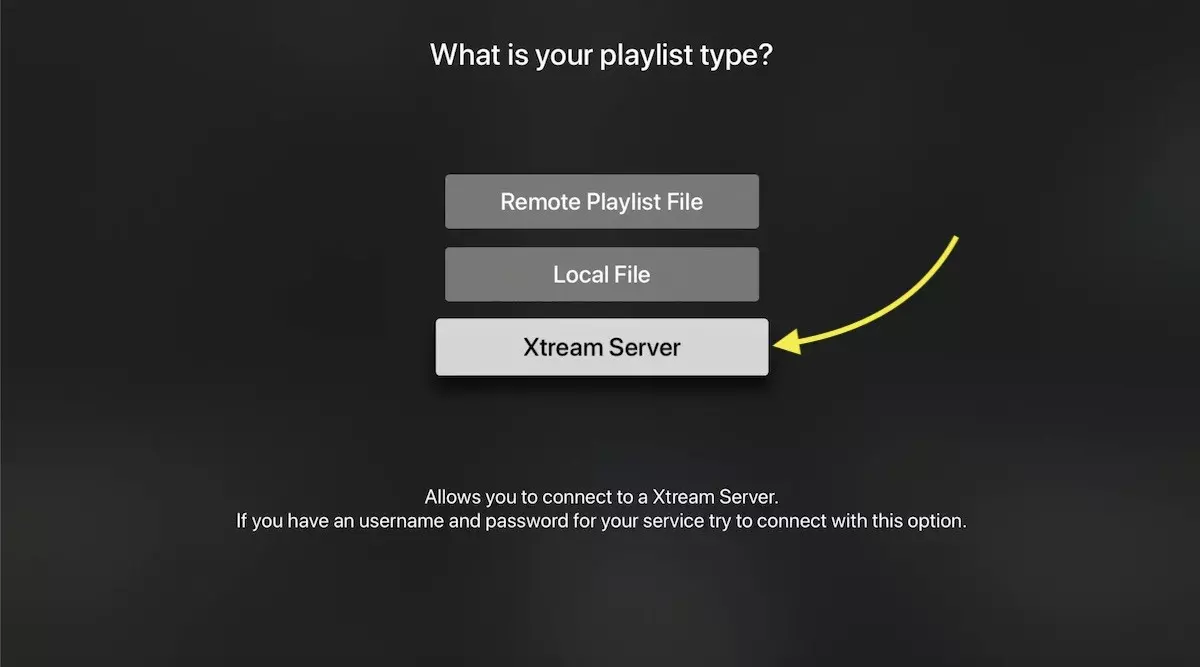
Choose Xtream Server – Recommended IPTV Setup Method
There are three ways to add your IPTV playlist:
M3U Link (Remote Playlist URL)
Downloaded M3U File (Local Playlist)
Xtream Server Login
We highly recommend using the Xtream Server method, as it offers advanced features such as automatic EPG integration, playlist auto-update, and faster server synchronization.

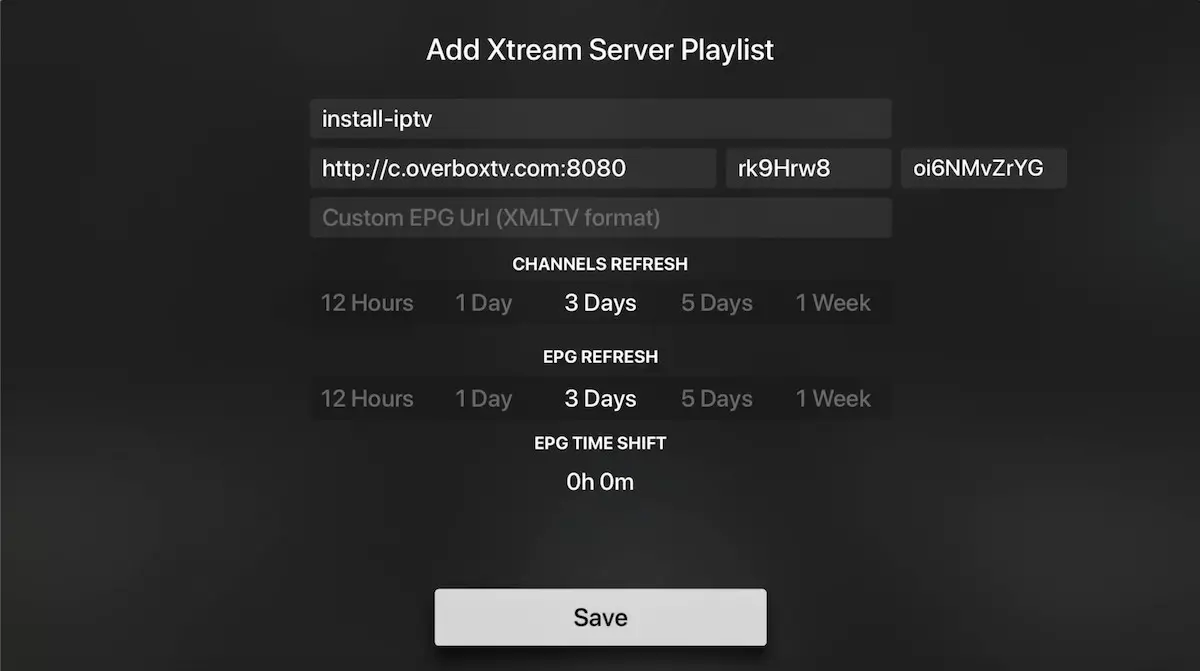
Enter Xtream Server Details
To connect using the Xtream Server login, enter the following details provided by your IPTV provider:
Server URL
Username
Password
You can also extract Xtream Server details from your M3U link (see the FAQ section below for guidance).
👉 Make sure to enter a Playlist Name — this can be any name you prefer (for example: Install-IPTV).
After entering all details, select Save to complete the setup and start streaming.

Channels, VOD & EPG Loading
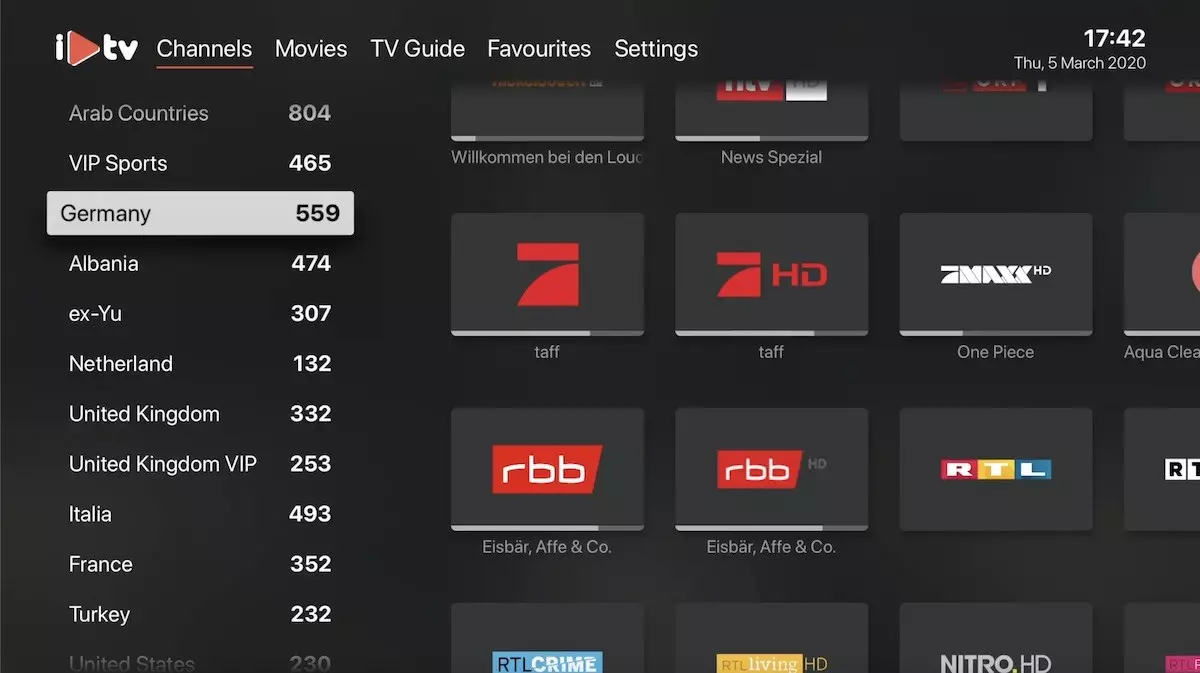
Once the setup is complete, your IPTV playlist will automatically load all Live TV channels, Video On Demand (VOD) content, and EPG (Electronic Program Guide) data.

Install IPTV Channels on iPlayTV
You need install iPlayTV from Apple TV app store . it Cost 5.99 USD
App in app store : https://apps.apple.com/app/iplaytv/id1072226801
Then follow this steps :
Time needed: 7-8 minutes.
Install IPTV in iPlayTV on Apple TV