
myIPTV Player
myIPTV Player is an exceptional media player with EPG support, allowing you to play your IPTV channels on Windows Phone, Windows 10, and Xbox One. Simply load your M3U playlist from local storage or a remote source, and start streaming instantly.
Bring IPTV channels to MyIPTV player
install IPTV on Windows ,Xbox and windows phone
Add a New Playlist and EPG in myIPTV Player
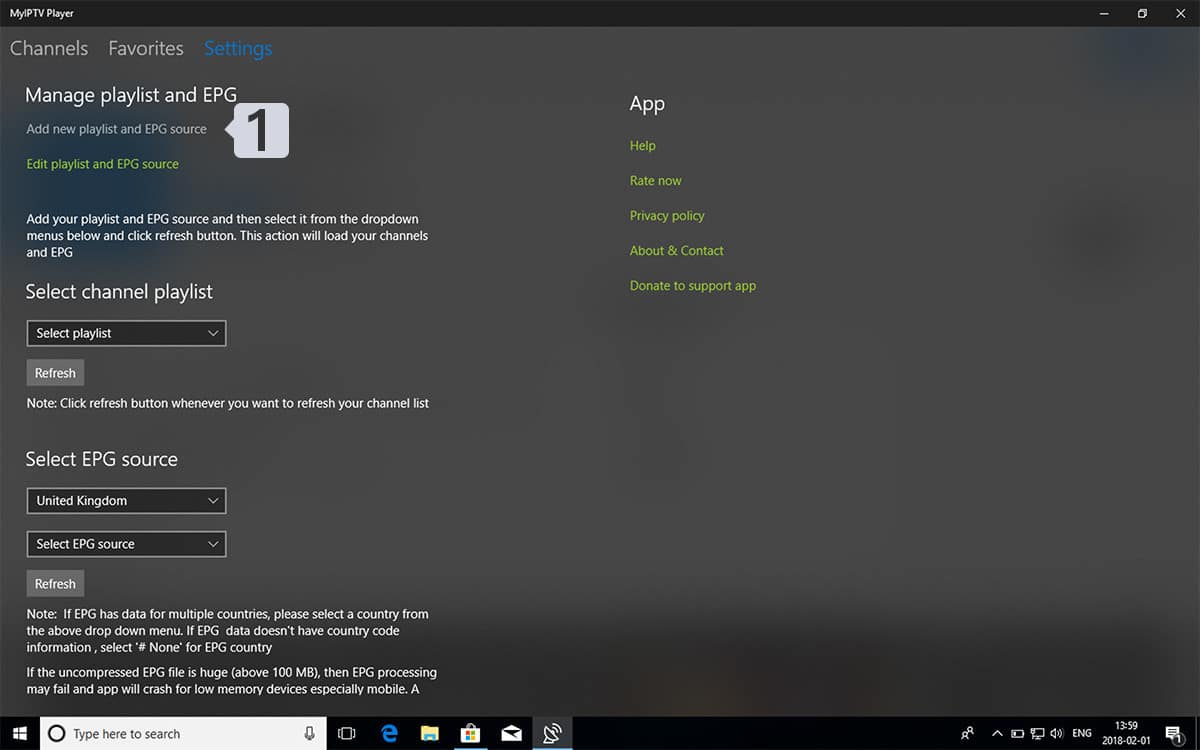
Open the Settings tab in the app.
Select Add New Playlist to load your M3U playlist.
Choose Add EPG Source to import your program guide for seamless viewing.
Add an M3U Playlist in myIPTV Player
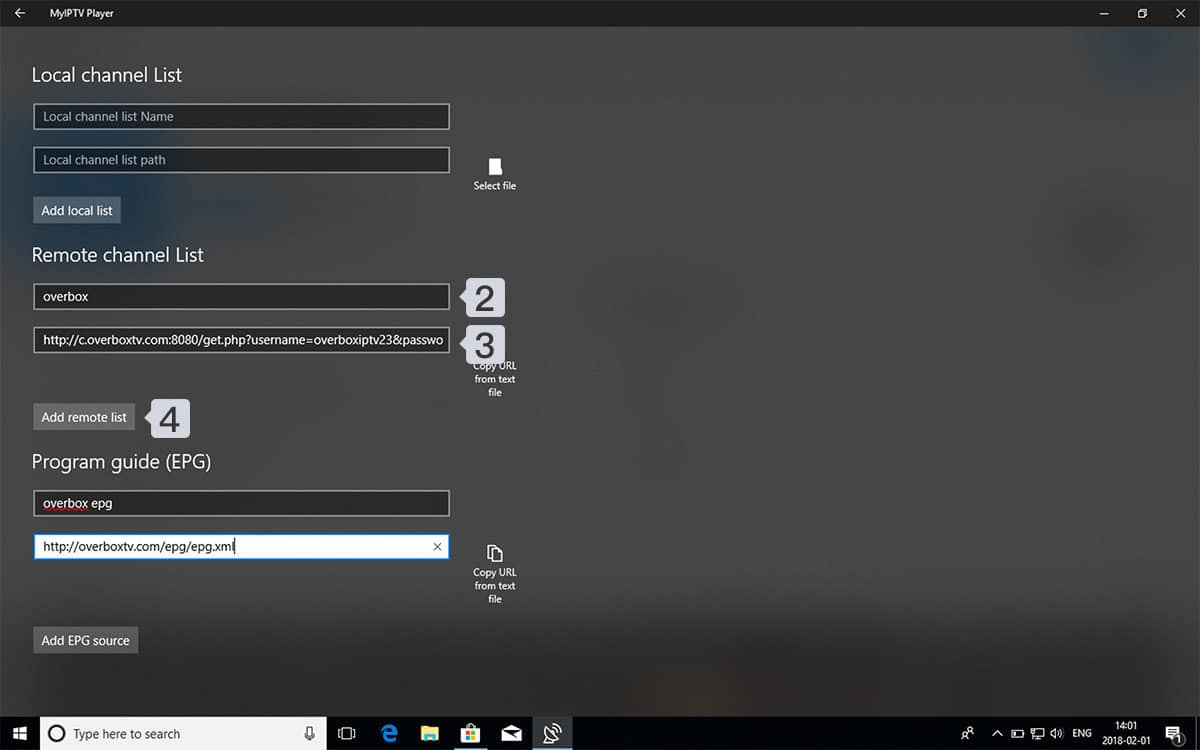
In Remote Channel List Name, type a custom name (e.g., “Overbox”).
Paste your M3U link provided by your IPTV provider into Enter Remote Source URL.
Tap Add Remote List to load your channels instantly.Load Your IPTV Playlist in myIPTV Player
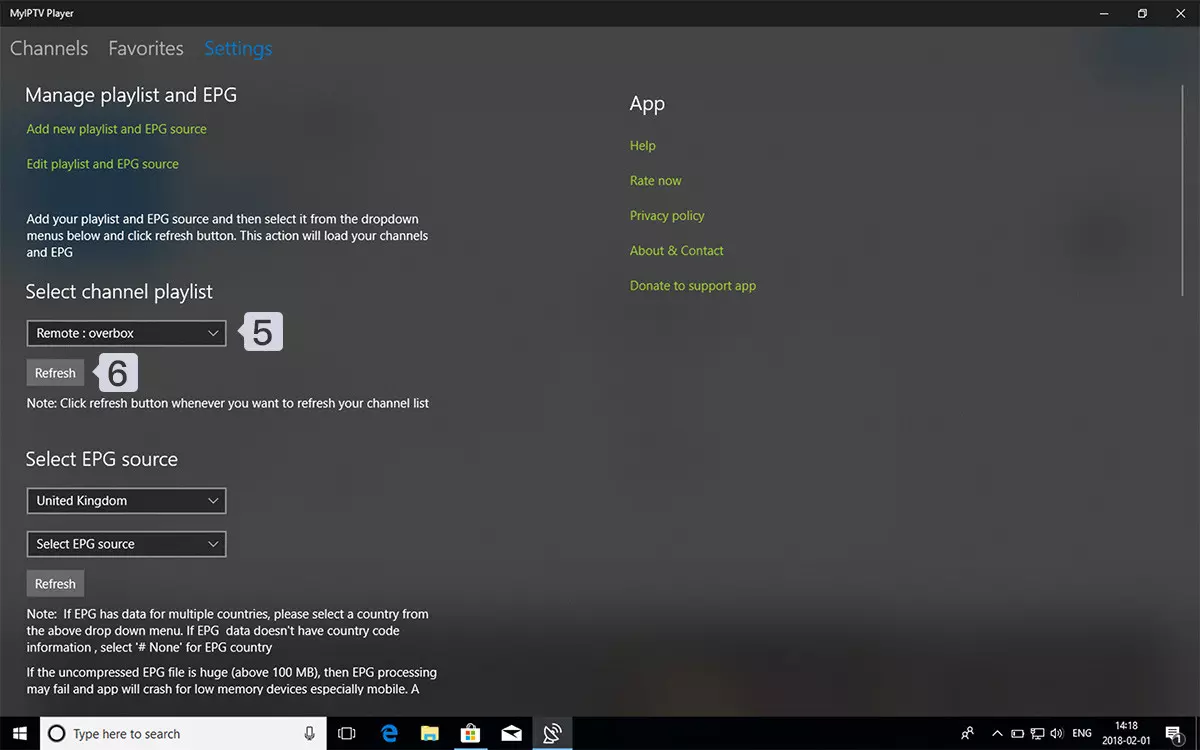
Go back to Settings.
Under Select Channel Playlist, choose the playlist you created (e.g., Overbox) to load your channels and start streaming.Watch Channels and VOD in myIPTV Player
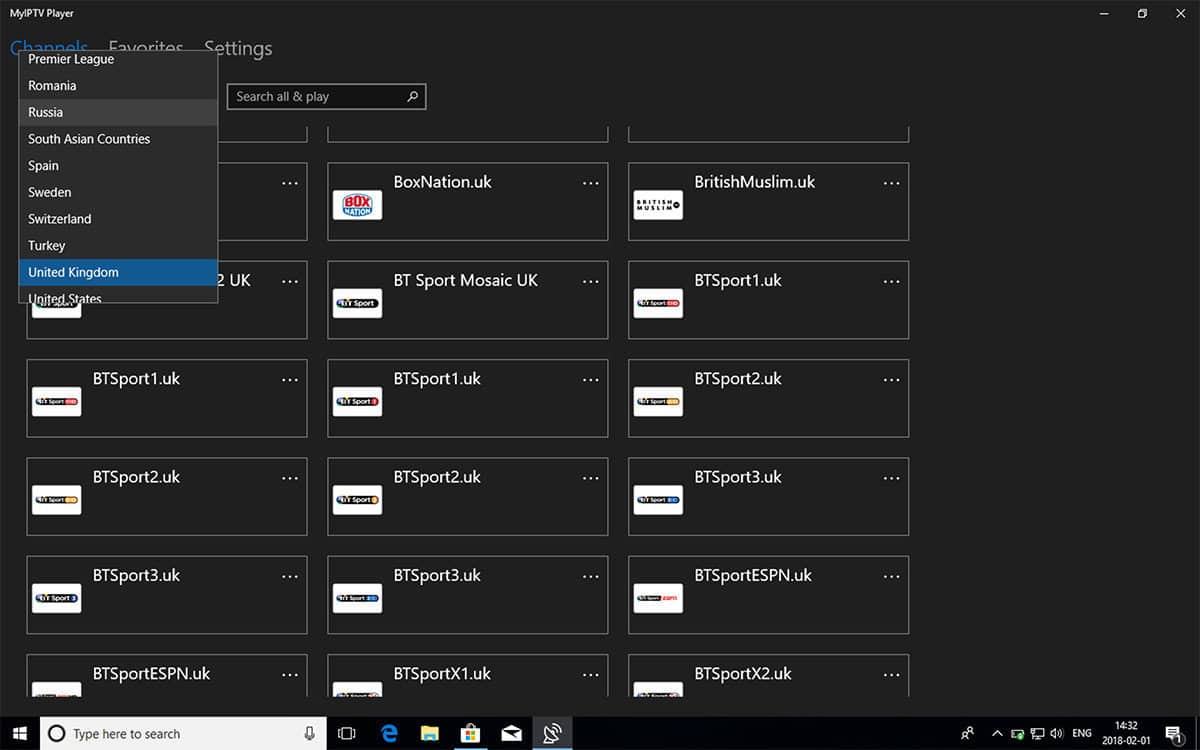
Once your playlist is loaded, go to the Channels tab. Select the country you want to watch, and start streaming live TV channels and VOD content instantly.
FAQ
How to Add EPG to myIPTV Player
Q1: How can I add EPG to myIPTV Player?
You can add your EPG URL in Step 2 under the Program Guide (EPG) section while setting up your playlist.
Q2: Where can I find my EPG link?
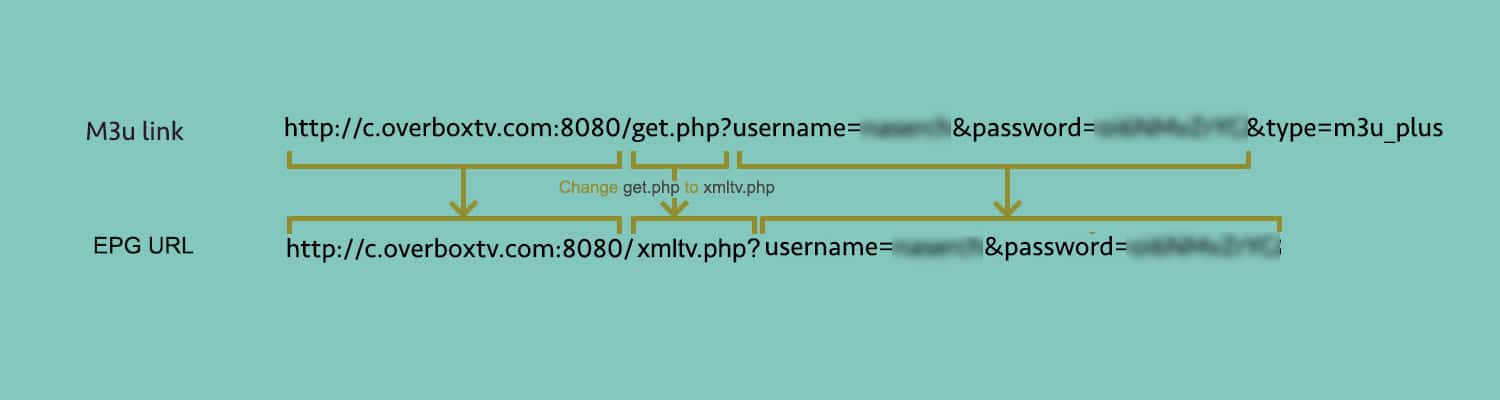
You can extract the EPG URL directly from your M3U playlist. For example:
(Insert example here)
Adding an EPG ensures your program guide is up-to-date, giving you a seamless viewing experience.